
Combined keys
A combined key is one API key that spans two or more of your Unlimited subscriptions.
- Coverage adds up. Each subscription covers its own daily hours. A combined key works whenever any of its Parallel subscriptions has an open window.
- Overlap stacks capacity. During hours covered by more than one Parallel subscription, your parallel request capacity is the sum of those subscriptions.
- Boost for sustained speed. A subscription can join as a Boost instead: it adds no parallel slot — it feeds its capacity to the other subscriptions, keeping responses fast under continuous, intensive use.
- Allowances stay per subscription. Each subscription keeps its own monthly usage allowance and renewal date. If one expires, the combined key keeps working with the remaining subscriptions.
Creating one
Section titled “Creating one”On the Keys page, click Create API Key and select two or more subscriptions. The composition panel shows your combined plan live — pick each subscription’s role, and the diagram updates as you decide:
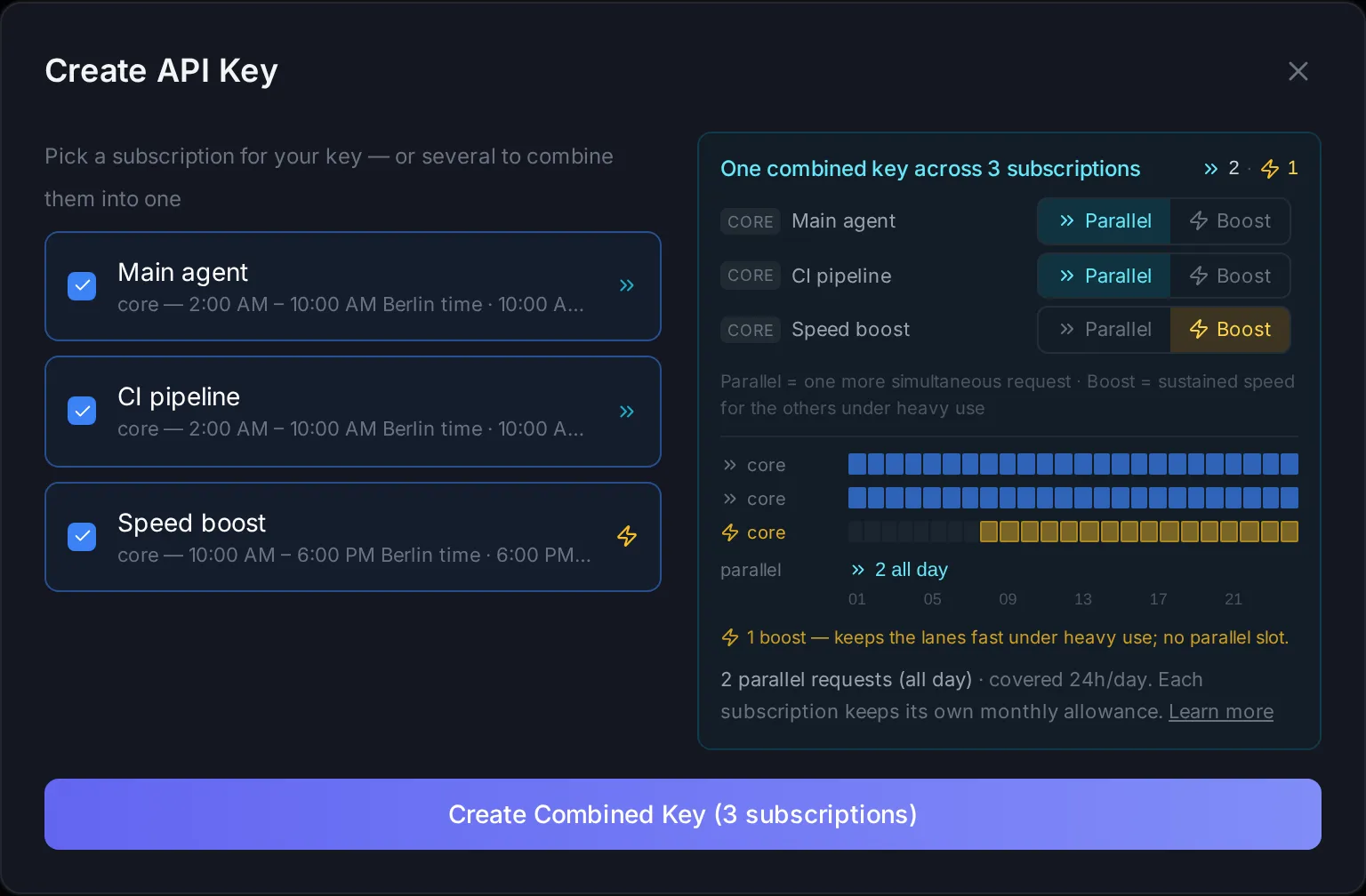
The key looks like sk-ci-meta-… and works like a regular key across the API. Selecting a single subscription shows the plan for its individual key instead.
Everything on this page can also be automated with the Management API — creating combined keys (roles included), changing roles, and updating members: see the Combined keys API reference.
Parallel and Boost
Section titled “Parallel and Boost”Every subscription in a combined key plays one of two roles:
- » Parallel (the default) — adds one more simultaneous request. The
parallelrow in the diagram counts exactly these. - ⚡ Boost — adds no slot. Its capacity feeds the Parallel lanes, so throughput stays high when you push the key hard for long stretches. Best for continuous, intensive workloads: agents, pipelines, batch jobs.
Two rules keep a composition valid, and the dashboard explains both inline:
- At least one subscription must stay Parallel — a key made only of Boosts would have no lane to serve requests.
- A Boost’s hours must be covered by the Parallel lanes. Outside the lanes’ windows the key is off, so Boost time there would go unused. If a Boost would have uncovered hours, the option is disabled and the tooltip tells you why — making the subscription with the widest coverage the Parallel lane usually resolves it.
Roles are available when all the combined subscriptions belong to the same pool. You can change a member’s role at any time from the key’s row on the Keys page:
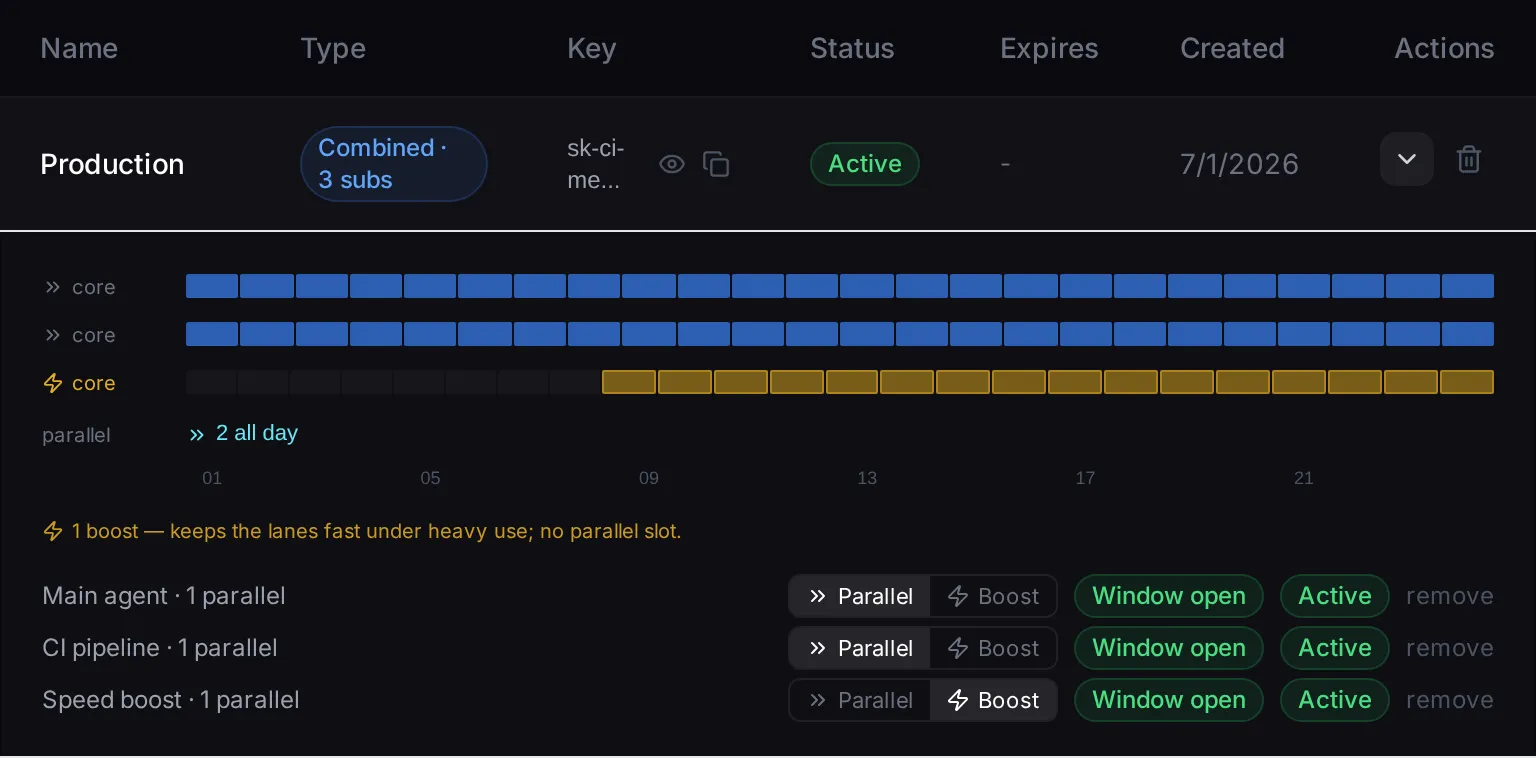
- Each subscription has one credential at a time: combining a subscription into a key removes its standalone key, so a key’s coverage and parallel capacity are always exactly the sum of the subscriptions it holds. The dashboard walks you through it.
GET /v1/modelswith a combined key lists every model available across its subscriptions.- In a combined key that spans pools, each request is served by a subscription whose pool offers the requested model.
- Deleting a combined key never cancels your subscriptions — they stay active, and you can create fresh keys for them from the Keys page.